Your shared AI chat is a public web page
Hundreds of people's Claude conversations turned up in Google results this week: medical records, résumés, working API keys. The mechanism behind it is ordinary. What it reveals about where your chat history actually lives is the interesting part.
What happened
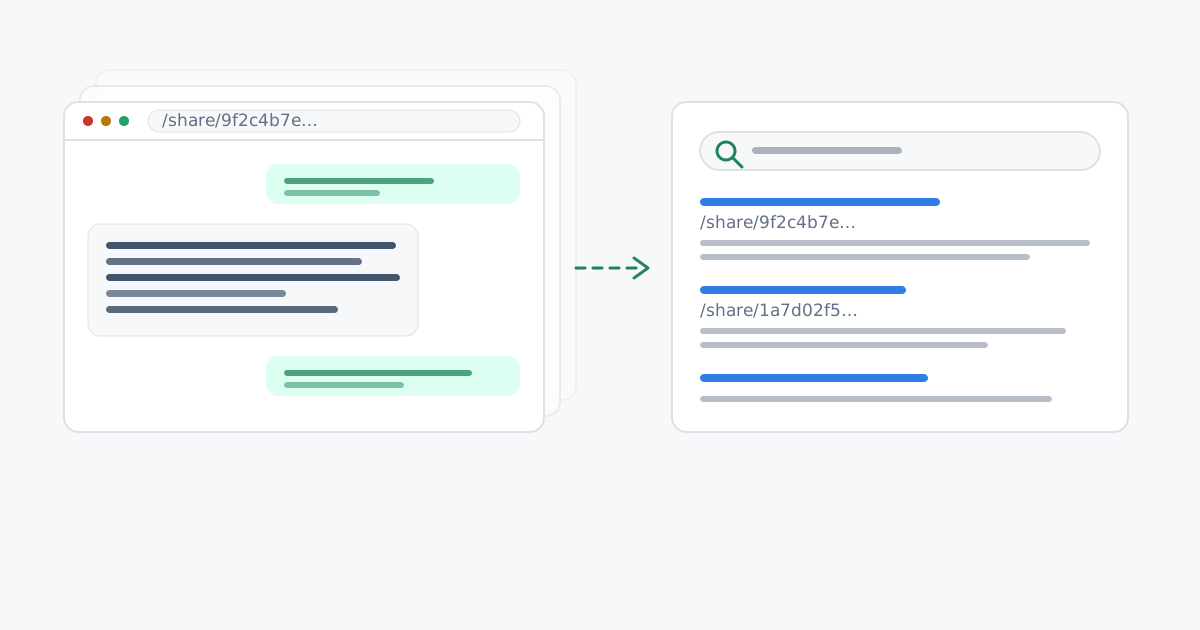
Over the weekend of 25–26 July 2026, people searching Google for site:claude.ai/share found page after page of other people's conversations with Claude. 404 Media reported it first; TechCrunch, Fortune and Futurism followed within a day.
The conversations were not exotic. Among them: clinical trial data and medical records, children's names and phone numbers, internal company documents, résumés, source code and working API keys.
Anthropic's position is that a shared conversation is public by definition. “When someone shares a conversation, they are making that content publicly accessible,” the company said, “and like other public web content, it may be archived by third-party services.” It added that it does not hand chat directories or sitemaps to search engines - the pages surfaced because the links had been posted publicly elsewhere.
Sharing publishes a page - it doesn't send a copy
The word “share” does a lot of quiet work here. In most apps, sharing sends something to someone. In an AI chat app it usually means something else: it mints a URL and publishes your conversation at it, as an ordinary web page that anyone holding the address can read.
From that moment the conversation behaves like any other page on the web. It can be forwarded, pasted into a support ticket, committed to a public repository, linked from a post, crawled, cached and archived. Nobody has to guess the address - they only have to come across it once.
So the crawler isn't really the story. The story is that the page had something readable to serve. That is only possible because the provider holds a readable copy of your conversation, ready to render for whoever asks.
Where the key lives
We should be straight about our own product first. Cognos has share links too, and a Cognos share link is a public page: anyone holding the link can open it without signing in. We are not claiming that sharing is impossible here, or magically safe.
What differs is what the link is made of. A Cognos share link has two halves, split by a #:
- Before the
#- the address. This is what our servers receive, what lands in our logs, and what a crawler or a web archive would record. - After the
#- the key that unlocks the conversation. Browsers never put this part into a request. It stays in the reader's browser, and our servers never see it.
The practical effect is that we can't read a shared conversation even while someone else is reading it. A search engine that finds the address gets a page with nothing legible on it, because the half of the link that unlocks it was never part of the address it crawled. And since we hold no readable copy of any conversation - shared or not - there is no pool of readable chats to index, leak or hand over in the first place.
Two further differences follow from the same design. A Cognos share hides detected sensitive values by default, so names, numbers and keys stay behind placeholders unless you deliberately choose to include them. And stopping a share deletes it outright - the address stops resolving immediately, rather than waiting to be delisted.
What this doesn't fix
A link is still a link. If you paste a Cognos share link somewhere public - the whole thing, including the part after the # - then anyone who follows it can read that conversation. The key never travels in a request, but it travels perfectly well in copied text.
Nor does any of this undo the past. Once a page has been public, copies may already sit in search caches and third-party archives. Removing the link stops new readers arriving; it doesn't retrieve the copies already taken.
What to do now
Check what you have already shared
In Claude, open Settings → Privacy → Shared chats and review every public link. Delete the ones you didn't mean to publish. Do the same in any other AI tool you use.
Search for yourself
Try your own name, employer or project alongside a share path in more than one search engine. Bing was still returning results after Google began delisting.
Assume a past share is permanent
Where the content is genuinely sensitive - health, legal, credentials - act as though it is public, and rotate anything that can be rotated. Any API key that appeared in a shared chat should be considered compromised.
Prefer redacted sharing
Where a tool offers it, share with sensitive values hidden rather than included. In Cognos that is the default.
Further reading
- TechCrunch - PSA: your Claude shared chats and Artifacts may have ended up on Google
- Fortune - Users' seemingly private conversations with Claude showed up in Google search results
- Futurism - A whole bunch of people's Claude chats are publicly accessible online
- Cognos docs - Sharing a conversation
- Cognos - How we protect your conversations