Redaction
Cognos can spot sensitive details in your message — an IBAN, an email, a card number — and hide them before the AI ever sees them.
1How it works
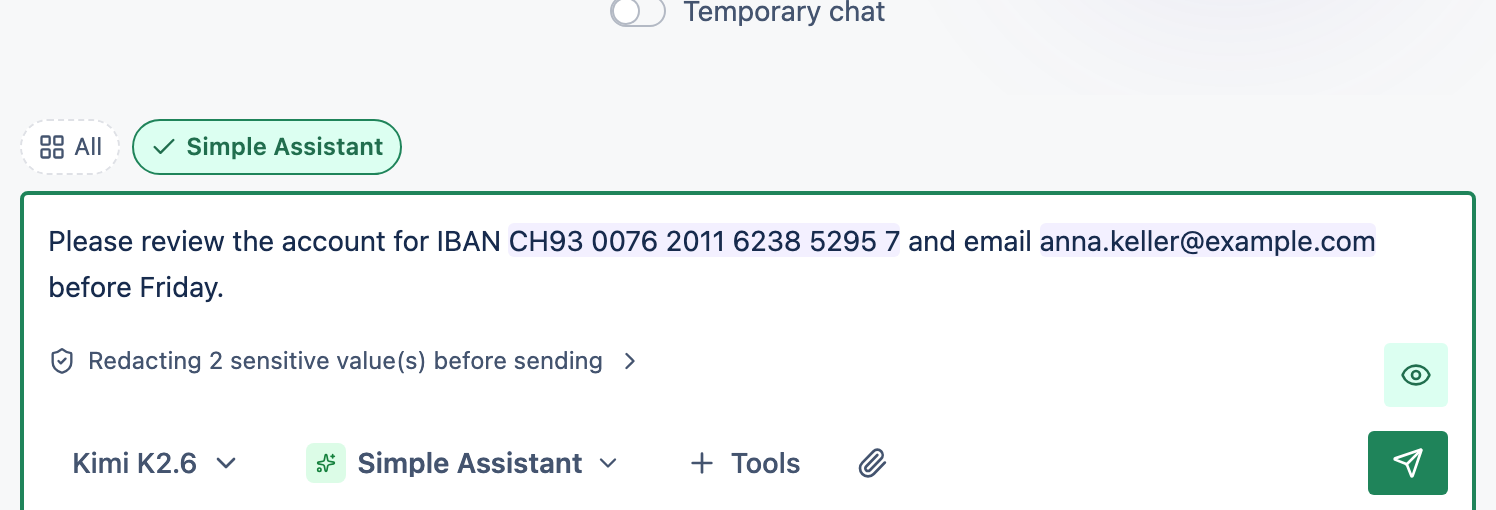
Detection runs in your browser before anything is sent. Each sensitive value is swapped for a placeholder like [[PII_IBAN_Q7K9M2]]. The AI provider and the saved message only ever see the placeholder — you still see the real value.
2Choose a mode
On your Account page, the PII redaction card offers Off, Simple (fast, the default) and Better (slower, catches more). Both run entirely on your device.
3Review before you send
Watch the summary
The message box shows how many sensitive values it will hide.
Check what's highlighted
Select Show what will be redacted to see each detected value.
Adjust if needed
Deselect an item to send it as-is, or mark Never redact this for a value you always want left alone.
4Revealing values later
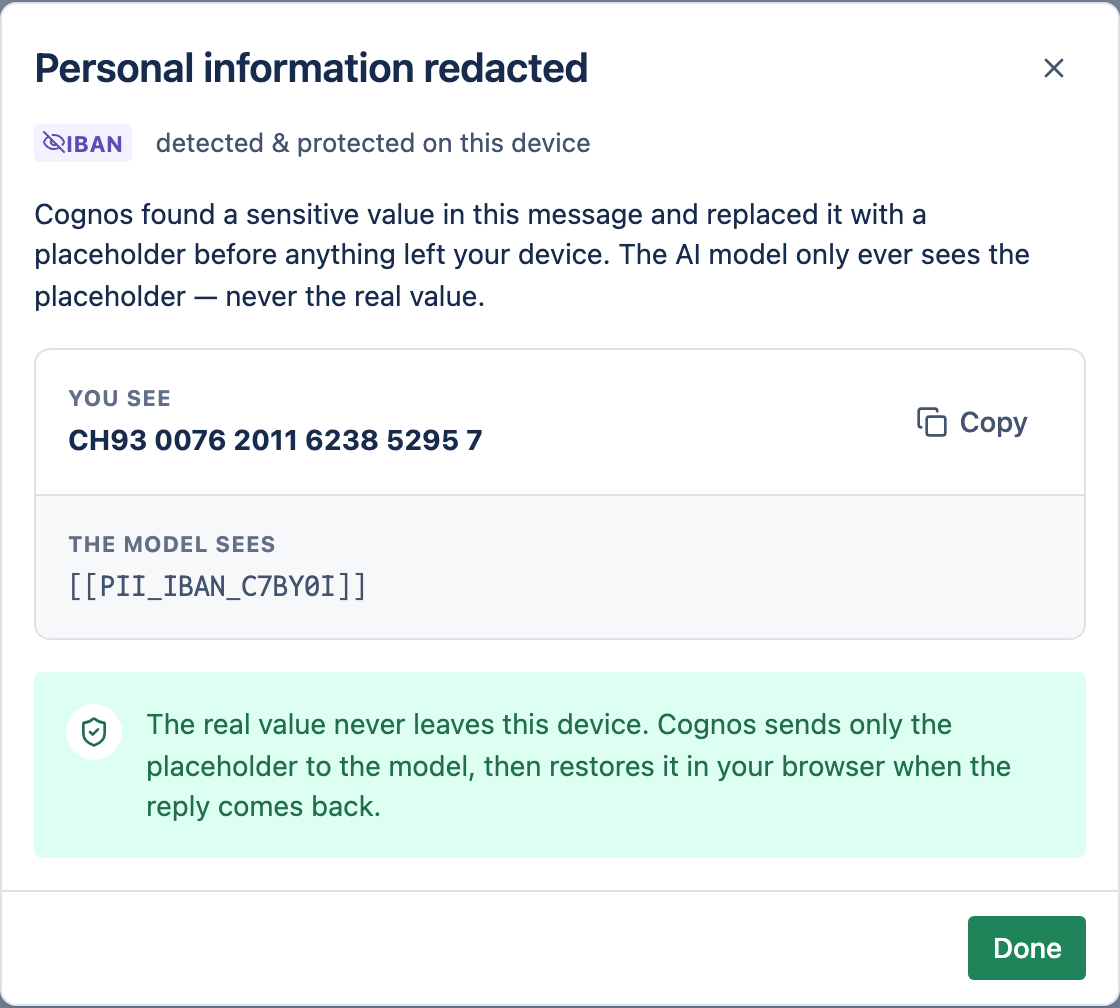
Select a placeholder in a sent message to open Personal information redacted, which compares what you see with what the model saw. Only someone holding the redaction key can reveal the real value — by default, that's just you.