Sharing a conversation
Publish a read-only link to a conversation that anyone can open — with or without the sensitive details revealed.
1Share a link
Open the conversation and select Share
The Share button is in the chat header.
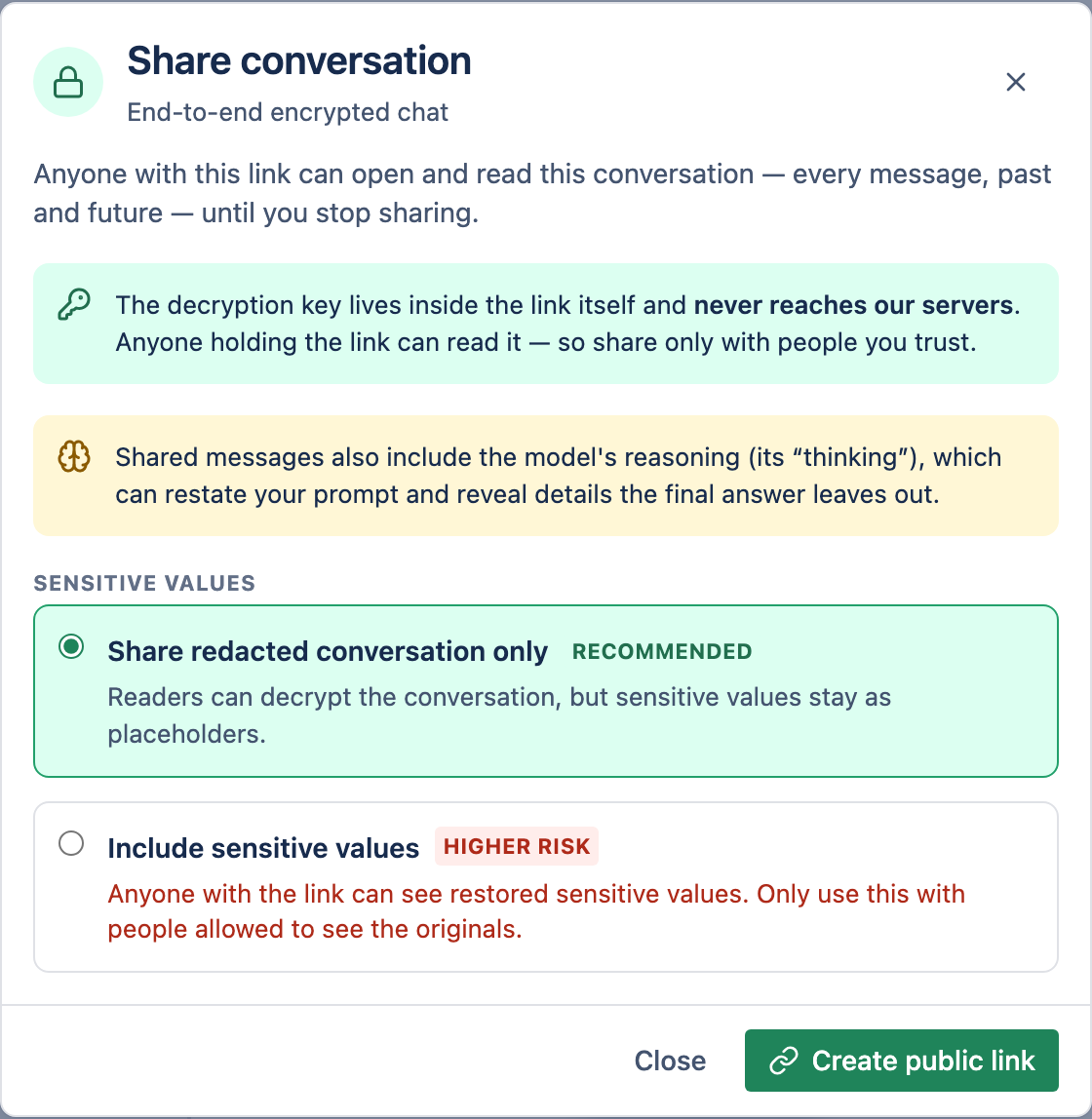
Choose what to include
Decide whether to keep sensitive values hidden or let recipients reveal them (see below).
Copy the link
Send it however you like. Select Stop sharing any time to revoke it.
2Two modes
| Mode | What recipients see |
|---|---|
| Redacted-only (default) | Sensitive values stay hidden as placeholders. |
| Include-sensitive | Recipients can reveal the real values without signing in. |
3How a shared link stays private
The key that unlocks a shared conversation lives inside the link itself (after the #), which browsers never send to our servers — so we can't read a shared conversation from our logs. Revoking a share breaks the link immediately, without affecting the conversation.