Personas
A persona is a reusable instruction set that shapes how the AI replies — a tone, a role, or a format. It's not a separate bot.
1Use a persona
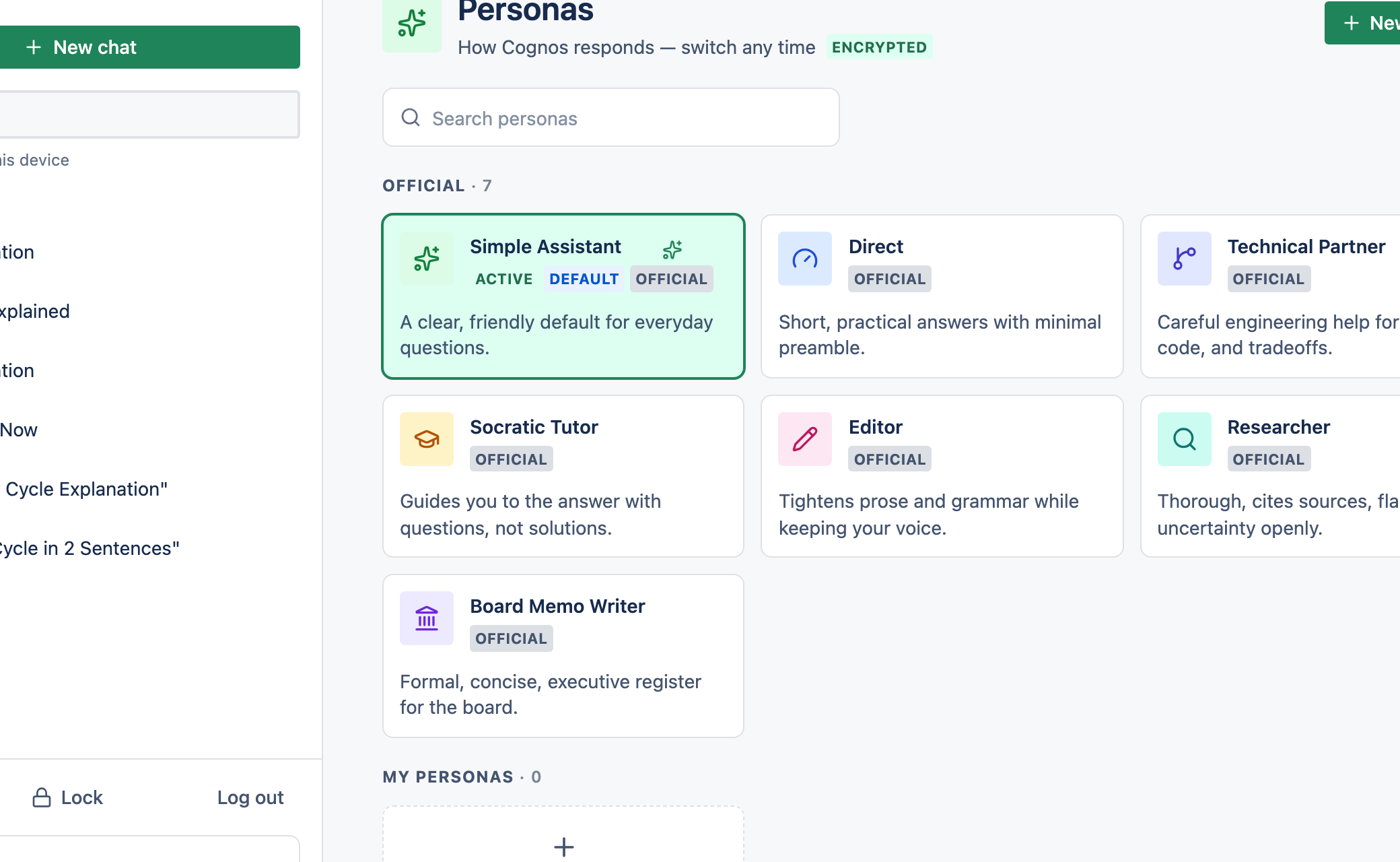
Cognos ships a set of built-in personas. Switch persona from the chip in the message box, or open the Personas page to browse them all.
2Create your own
Open Personas and select New persona
From the Personas page.
Describe it
Give it a name, a description, and the instructions the AI should follow. Add a colour and icon if you like.
Optionally make it your default
Turn on Use as default so it applies to new chats.
3Good to know
- Your custom personas are private and encrypted.
- Your default persona follows you across devices.
- If a persona is deleted or can't be loaded, chat still works — it just falls back to no persona.
- Personas are personal to your account; there's no shared persona.